
Ramadan Calendar 2026
Ai.Resume BuilderEvents
4.13.00 Reviews
- Version
- 1.1.25
- Installs
- 100.00K
- Age Rating
- Everyone
Screenshots

Our Review of Ramadan Calendar 2026
 Analysis by Appyee
Ramadan planning tends to happen in small moments: checking a time before leaving home, fitting suhoor around work, or remembering when iftar begins while the day is busy. I like the idea of keeping those checks in one place, and Ramadan Calendar 2026 is aimed at exactly that kind of everyday reference. It is a free events app from Ai.Resume Builder, rated for Everyone, with more than 100K installs and an average rating of 4.1 from around 700 ratings. Those figures suggest that people are finding it, but they don’t tell me whether its timings suit every local practice, so I’d treat the app as a convenient guide and check important details against a trusted local source.
Quick checks, not a substitute for local guidance
The app’s central appeal is simple: Ramadan timing information is most useful when it is quick to consult. I’d expect a calendar-focused tool to work best as a daily reference rather than something that needs long sessions or constant attention. If I only need to confirm a time and get on with my day, a focused calendar is a more natural fit than opening a broad religious or lifestyle app with many unrelated sections.
That convenience depends on having the right location and schedule in view. Before relying on a time for a fast or prayer, I’d check that the displayed location is appropriate and compare the schedule with guidance from my mosque or community, especially if I have recently travelled or local timetables differ. A calendar can reduce repeated searching, but it should not settle a genuine local disagreement by itself.
Making it useful in a real routine
Picture a weekday when I have an early commute and meetings later in the day. I can check the relevant suhoor and iftar times while planning the morning, then return to the calendar instead of searching through messages or browser tabs. That is a modest benefit, but a dependable daily reference can make a busy month feel less scattered.
For a household, the calendar can also help with practical coordination: deciding when to prepare food, reminding one another about the day’s schedule, or planning an evening around iftar. I would still share the actual time with family members rather than assume everyone uses the same device or follows the same local timetable. The app works best as an aid to a routine, not as a replacement for communication.
Speed, stability, and what I would verify
For this kind of tool, speed matters most at the moment I need an answer. The app is currently at version 1.1.25, and its straightforward calendar purpose gives me a reason to expect brief, practical visits rather than heavy continuous use. I can’t infer actual loading speed or battery use from a version number, though, so I would judge those on my own device rather than assume it is especially light or fast.
The same caution applies to reliability. Timing information is only useful if it is right for the place and convention I follow. I would check that once when setting up my routine, then revisit it after a trip or a change in location. If a notification is important to me, I’d also confirm that it is enabled and that my phone’s notification settings allow it through; a reminder is not much help if the operating system silences it.
It is available for devices running Android 7.0 or later. That gives many older Android phones a chance to use it, but compatibility alone does not guarantee that every device will feel equally responsive. On a phone with limited storage or an older battery, I’d keep expectations practical and close the app after checking rather than leave any calendar tool open unnecessarily.
Who will get the most from it
I’d consider this app if I want a dedicated Ramadan calendar and prefer a direct way to check the day’s schedule. It may be especially handy for someone new to organizing fasting around work or study, or for anyone who wants a single reference to consult during the month. Someone who already relies on a mosque timetable and has no need for another calendar may not gain much from installing it.
Compared with a printed timetable, an app is easier to check when I’m away from home, while paper has the advantage of being visible without unlocking a phone. Compared with a general calendar, a Ramadan-focused option keeps the relevant dates and daily checks closer to hand. The trade-off is that I still need to verify local timings and maintain my own backup if I cannot access my phone.
A User-Friendly Experience
First off, the interface is super clean and intuitive. You don’t need to be a tech wizard to navigate through it. As soon as you open the app, you’re greeted with a beautifully designed home screen that displays the current date in both the Gregorian and Islamic calendars. It’s like having your own personal Ramadan organizer right in your pocket!
What I really love is the simplicity. No clutter, no unnecessary distractions—just straightforward functionality. Whether you’re checking prayer times or looking up fasting hours, everything is a tap away. The developers really nailed it when it comes to making it user-friendly.
Features Galore
Let’s dive into the features, shall we? The Ramadan Calendar 2026 app offers a comprehensive set of tools to make sure you’re always on top of your Ramadan schedule. Here’s what you can expect:
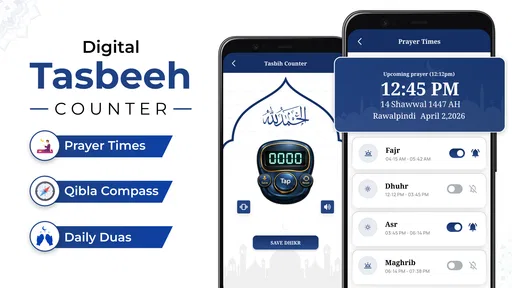
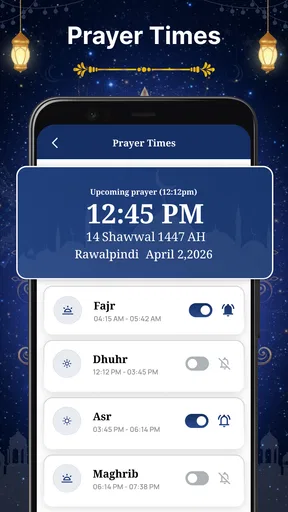
- Prayer Times: Accurate prayer timings based on your location. You can even customize notifications so you never miss a prayer.
- Fasting Schedule: Detailed suhoor and iftar timings for each day. This is especially helpful if you have a busy schedule and need a gentle reminder.
- Dua and Hadith: Access a collection of daily dua and hadith to enrich your spiritual journey throughout the month.
- Qibla Finder: A built-in compass to help you find the direction of the qibla from anywhere.
- Community Features: Connect with friends and family to share your Ramadan experiences and support each other.
Customizable and Personal
One of the standout aspects of this app is the level of customization it offers. You can tweak the settings to match your specific needs. For example, if you’re traveling, you can adjust the location settings to get accurate timings wherever you are. Plus, the app allows you to select different calculation methods for prayer times, which is great if you follow a particular school of thought.
Another neat feature is the ability to set personal goals for the month. Whether it’s reading a certain number of pages from the Quran or donating to charity, you can track your progress right within the app. It’s like having a motivational buddy cheering you on!
Seamless Performance
Now, I’ve used my fair share of apps that glitch or crash at the worst times, but with this one, I experienced zero hiccups. The Ramadan Calendar 2026 app runs smoothly without bogging down your phone’s performance. It’s light on resources, which means you can keep it running in the background without any worries.
The developers clearly put a lot of effort into optimizing the app for both Android and iOS. No matter what device you’re using, the experience is seamless, and that’s a huge plus in my book.
Final Thoughts
All in all, if you’re looking for a reliable, well-rounded app to accompany you during Ramadan, the Ramadan Calendar 2026 is definitely worth a download. It’s packed with useful features, offers great customization, and most importantly, it helps you stay organized and focused on what truly matters during this special month.
Whether you’re a first-timer or a seasoned observer, this app provides the tools you need to enhance your spiritual journey. So go ahead, give it a whirl, and let it guide you through Ramadan with ease and grace. Happy fasting!
Practical checks before relying on reminders
I’d set up the calendar at a calm moment rather than waiting until the first rushed morning. First, I would confirm that the location and displayed day match my situation. Then I’d compare a couple of upcoming entries with a local timetable. That small check can catch a mismatch early, before I build a meal or commute plan around an unexpected time.
If I use alerts, I’d treat them as prompts rather than guarantees. A useful habit is to check the phone’s notification settings after enabling an alert and make sure the app is not being silenced by a focus mode or battery-saving setting. For an especially important reminder, I might also set a backup alarm in the phone’s clock. That is not a criticism unique to this calendar; it is a sensible safeguard whenever a phone alert affects a real-world schedule.
Travel calls for another quick review. A schedule that made sense at home may no longer match the place I have reached, so I would refresh or recheck the location before relying on the next day’s times. If I’m crossing regions or following a community timetable, I’d use that local guidance as the final reference. This is where a digital calendar is convenient but not automatically authoritative.
Choosing between free access and paid extras
The app is free to install, while optional in-app purchases are listed from $4.99 to $19.99 per item. I’d begin with the free experience and decide whether I actually need anything beyond it before spending. The existence of paid items does not by itself tell me what each purchase includes, so I would read the in-app purchase description carefully and avoid buying on the assumption that a particular feature is included.
For someone who only needs to consult a daily schedule, a free calendar or a local mosque’s published timetable may already cover the essentials. Paid options make sense only if their specific contents solve a problem I have. I would compare the value with a paper timetable or the free calendar already on my phone, rather than paying simply because an upgrade is presented during setup.
How it fits alongside other Ramadan tools
A dedicated calendar is strongest when I want the month’s schedule close at hand. A general calendar is often better for adding work shifts, family appointments, and meal preparation reminders, because those commitments may already live there. I’d use the Ramadan calendar as a quick reference and keep fixed personal events in my regular calendar instead of duplicating everything and risking conflicting entries.
Likewise, a local mosque timetable is the better choice when I need the schedule followed by my congregation, while a printed sheet is useful for a shared kitchen or for times when I do not want to use a phone. These options are not rivals so much as different tools: the app is portable, paper is visible, and community guidance reflects local practice. Combining them can be more dependable than asking one source to do every job.
The practical trade-off is attention. A calendar can help me remember the day’s rhythm, but too many alerts can become background noise. I’d keep only reminders I genuinely use and place them at moments when they can change what I do. For example, a prompt well before leaving for an evening commitment is more actionable than an alert that arrives when I am already on the way.
Device fit and everyday expectations
Because the minimum operating-system requirement is Android 7.0, owners of compatible older Android phones can consider trying it without needing the newest software. Still, an older device may have different notification controls, less free space, or stricter battery management. If an alert seems inconsistent, I’d first check those phone-level settings before assuming the calendar itself is at fault.
The app is listed as version 1.1.25, and the developer is Ai.Resume Builder. Those details help identify the app, but they don’t promise identical behavior across every phone. I would install it, open the schedule, and test the routine I plan to use before depending on it for a time-sensitive morning. A short trial is more informative than guessing from a device’s age alone.
Its Everyone content rating makes it suitable for a broad audience, but the real question is whether its approach matches the user’s habits. Someone who wants a straightforward Ramadan reference may appreciate having it ready on a phone. Someone who needs a community-specific timetable, does not want alerts, or prefers to keep religious planning offline may be happier with a printed schedule or direct guidance from a local mosque.
My performance verdict
As a focused calendar, this is most appealing when I want quick access to Ramadan timing information without turning the task into a larger planning project. I would not judge it by imagined benchmarks or assume it will behave identically on every device; I’d judge it by whether the schedule is clear on my phone, whether its alerts arrive as expected, and whether its local timing agrees with the source I trust.
My recommendation is measured: try the free version if a dedicated calendar would make your routine easier, verify the schedule before relying on it, and keep a backup for important reminders. If you already have a dependable local timetable and prefer not to maintain another app, there is little reason to add one just for the sake of it. For the right user, though, a quick, familiar place to check the day can be a genuinely useful companion through Ramadan.
Verdict
Strengths of Ramadan Calendar 2026
- User-friendly interface for easy navigation.
- Accurate prayer times and reminders.
- Customizable notifications for fasting alerts.
- Includes Qibla direction feature.
- Offline access to calendar and events.
Limitations of Ramadan Calendar 2026
- Limited language options available.
- Ads can be intrusive at times.
- Some features require in-app purchases.
- No option for community forums.
- Occasional syncing issues with local time.
Similar Picks in This Category
View All
Easy Quran Mp3 Audio Offline
Muslim Worldapp4.7

Invitation Maker: Cards & RSVP
Greetings Island4.9

StubHub - Live Event Tickets
StubHub4.3

Fever: Events & Tickets
Fever Labs4.7

Epic Freebie Games Radar
Arioch Pds - Apps & Games4.4

Invitation card Maker, Design
Splendid App Maker4.9
Frequently Asked Questions
What features does the Ramadan Calendar 2026 app offer?
The Ramadan Calendar 2026 app provides a comprehensive timetable for suhoor and iftar, daily prayer times, and reminders for significant religious events. It also includes a Qibla direction finder and Islamic articles to enhance your spiritual journey. The app aims to support users throughout Ramadan with accurate and reliable information.
Is the Ramadan Calendar 2026 app available for both Android and iOS devices?
Yes, the Ramadan Calendar 2026 app is available for download on both Android and iOS platforms. Users can easily find it on the Google Play Store and Apple App Store. The app is designed to offer a seamless experience, regardless of the device you use.
Does the Ramadan Calendar 2026 app require an internet connection to function?
While the Ramadan Calendar 2026 app can function offline for basic features like displaying prayer times and the calendar, certain features such as location-based services and updates require an internet connection. To ensure optimal functionality, it is recommended to connect to the internet periodically.
Are there any in-app purchases or subscriptions in the Ramadan Calendar 2026 app?
The Ramadan Calendar 2026 app is free to download and use. However, it may offer optional in-app purchases for premium features like ad removal or additional content. These purchases are not necessary to access the core functionalities of the app, which are available for free.
How accurate is the prayer time calculation in the Ramadan Calendar 2026 app?
The app uses reputable algorithms and databases to ensure high accuracy in prayer time calculations. It allows users to input their location or use GPS for precise data. The app also provides settings for different calculation methods, accommodating variations in local practices and preferences.
